Aether is a ham radio logging application for the Mac. Aether includes tools to quickly and easily log QSOs while on the air, as well as organize, search and track your QSOs later. Aether was designed for macOS, and has the same kind of clean, intuitive, friendly interface you've come to expect on the Mac. Check out just a few of Aether's features below, and click the download link above to try it out!

Awards Tracking
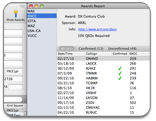
Aether can keep track of your progress towards operating awards. Enter a callsign and Aether will immediately let you know if that station is needed for an award you're trying to earn. You can also see a detailed report of your progress towards all your awards. Easily see who you've worked, which contacts you need QSL cards for, and the contacts you still need to make.
Rig Control via RS-232
Aether includes support for communication with a transceiver connected via RS-232*. Frequency, mode, and power information is automatically read from your rig and is filled in when you log a QSO.
Import and Export
Aether provides full support for the ADIF (Amateur Data Interchange File) and Cabrillo formats. If you're switching from another logging application that supports ADIF or Cabrillo (most do), you can easily transfer your logs to Aether. Aether will also export log files in ADIF and Cabrillo format so that they can easily be used with other software and submitted to contest sponsors.
Automatic Dupe Checking
It's often handy to quickly know if you've worked a station before. When you enter a callsign to log a new QSO, Aether will quickly indicate how many QSOs you've had with this station in the past, and with one click or keystroke you can display only QSOs with this station. Aether also gives you the option to automatically fill in name QTH and other details from the most recent past QSO with a station you've worked before.
QSL Management
Aether helps you keep track of your QSL cards, both paper and electronic. Aether can synchronize your log with eQSL.cc and Logbook of The World with just one click. If you're new to Logbook of The World, Aether makes setup a snap. Aether can also print QSO detail and address labels to make sending out your paper QSL cards quick and easy.
Maps and Distance
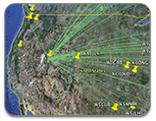
Aether automatically calculates and displays distance and beam heading to the station you're working. Google Maps is a great way to get detailed maps of any QTH in the world. In Aether, when you're working someone, hit the "Google Maps" button and get a map of their station's exact location. You can also export a KML file so you can see all your contacts at once in Google Earth or another mapping application.
Automatic Callbook Lookup
Aether has the ability to pull in callbook data from the internet. Aether can automatically lookup callbook data when a new callsign is entered into the log. Options for manually performing lookup are also supported. If you have a paid subscription to QRZ.com, you can use this as the source for callbook data. You can also use HamQTH.com (free registration required).
Modern Mac Application
Aether is a modern Mac application and integrates with OS X technology and features such as Mail, Address Book, Spotlight, and AppleScript. Things that you're used to on the Mac, including drag and drop, copy/paste, integrated help, etc, just work.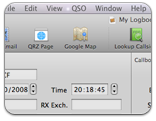
Aether requires:
- An Intel or Apple Silicon Mac- OS X 10.13.4 High Sierra or later (users of older Macs, see here)
- Rig control for many rigs requires a USB-to-Serial adapter.
Aether supports most Elecraft, Icom, Kenwood and Yaesu rigs. Some TEN-TEC radios are also supported. See this page for a complete list of supported radios.